Lime
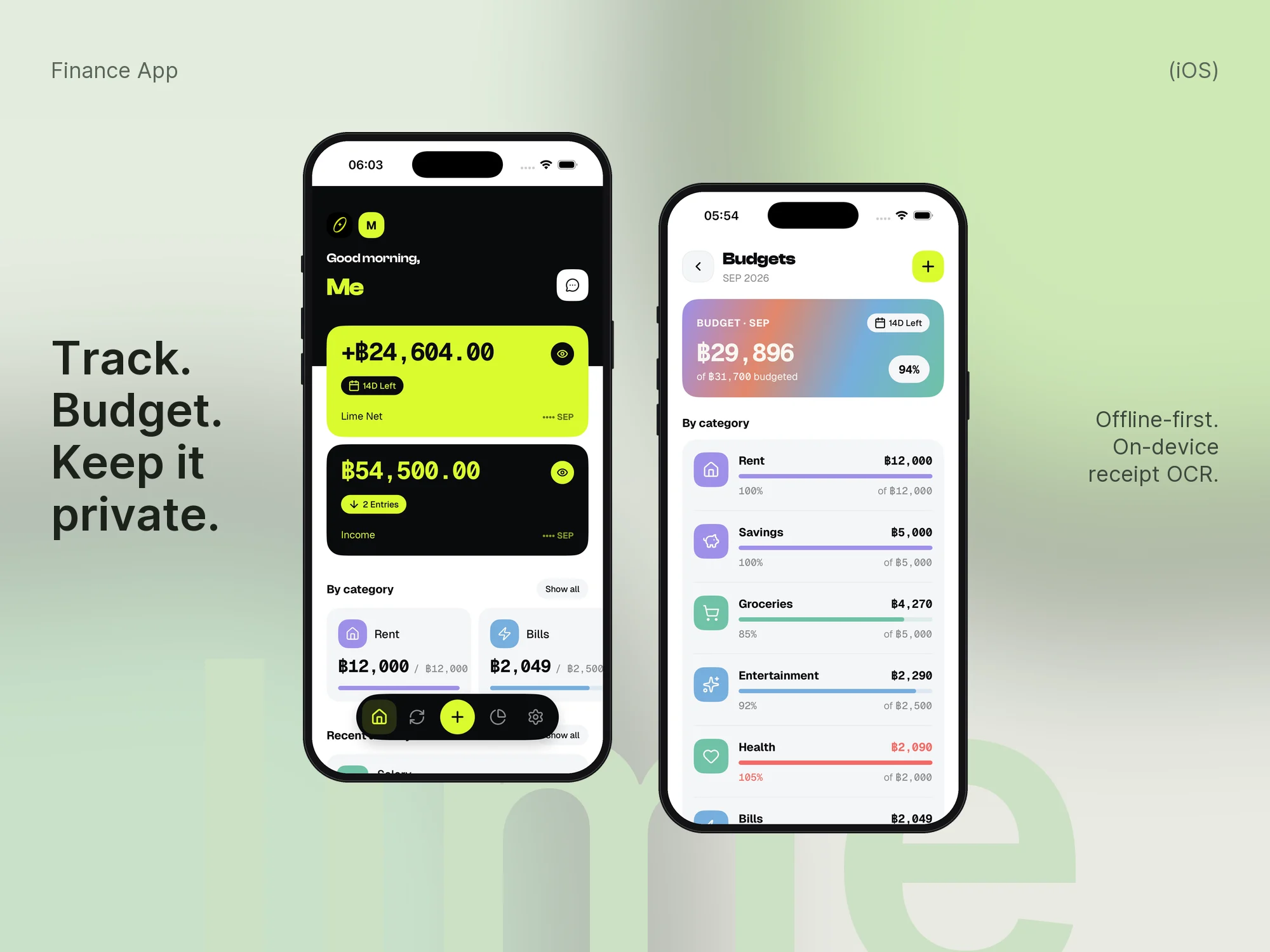
An offline-first personal finance app for iPhone - track spending and budgets, and import bank receipts with on-device OCR and Apple's on-device model. No account, no server, no analytics.
- Role
- Design and full-stack, side project
- Year
- 2026
- Stack
- Expo SDK 54
- React Native
- TypeScript
- expo-router
- zustand
- Reanimated
- Swift
- Apple Vision
- Foundation Models
- Jest
- What I did
- Home, activity, statistics, budgets, subscriptions and savings-circle screens
- Custom Swift modules: Vision text recognition and Apple Foundation Models
- Three-tier receipt parser: bank templates, generic EN/TH regex, on-device LLM
- Direction and category inference from saved accounts
- Hand-rolled SVG bar chart, bottom-sheet add flow, swipe row actions
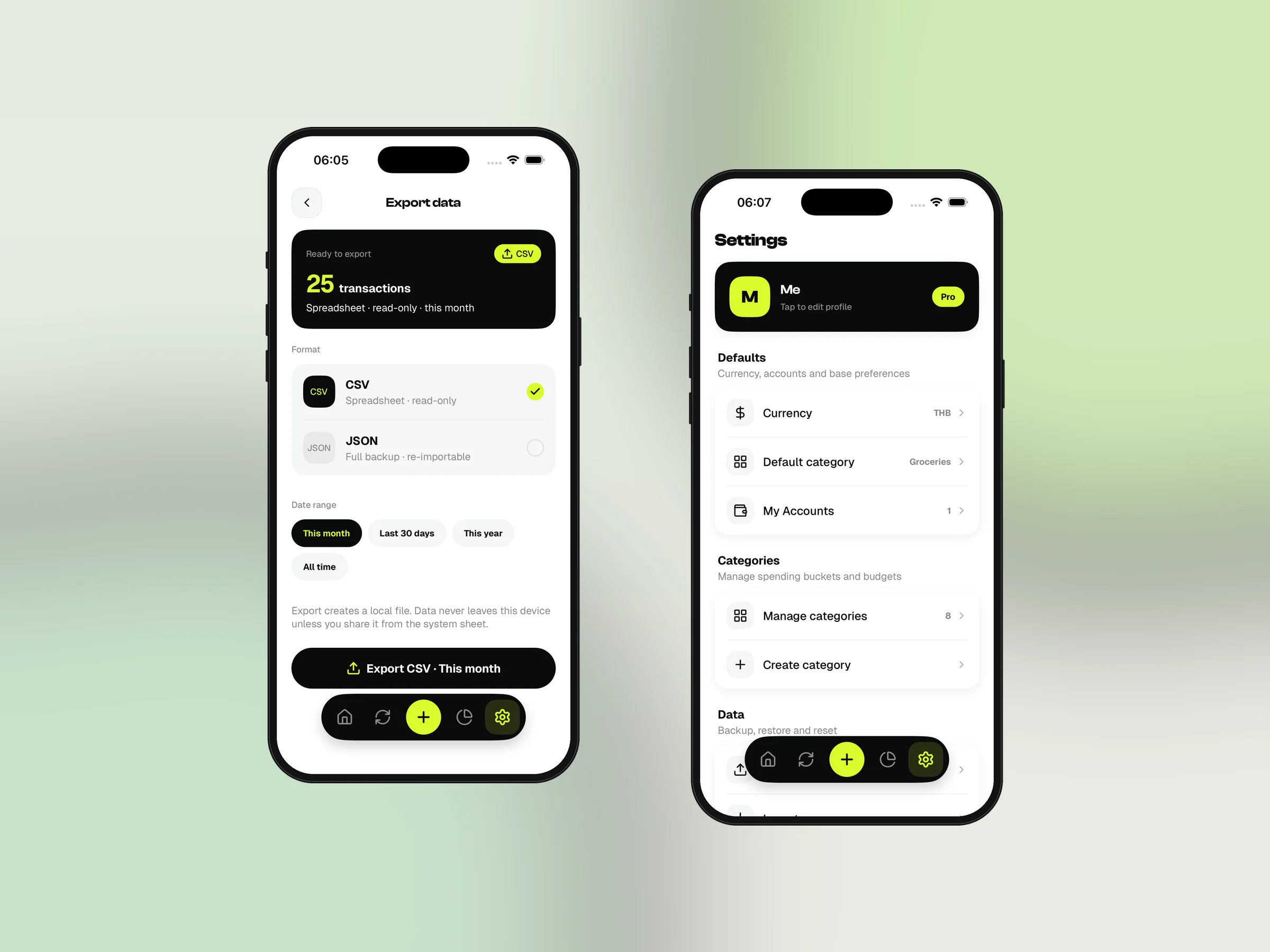
- CSV/JSON export and validated JSON import; 280+ unit tests
Overview
Lime is a personal finance tracker for iPhone: fast to log a purchase, honest about budgets, and private by default. Everything lives on the phone - there is no sign-up, no backend and no analytics.
It covers daily spending, monthly budgets, subscriptions, accounts and savings circles, and still ships the one feature that usually needs a server: reading a bank receipt screenshot and turning it into a transaction, entirely on-device with Apple's own frameworks. Data can be exported and imported as CSV or JSON. The screens below are the app running on the iOS simulator with sample data.
Log it in two taps
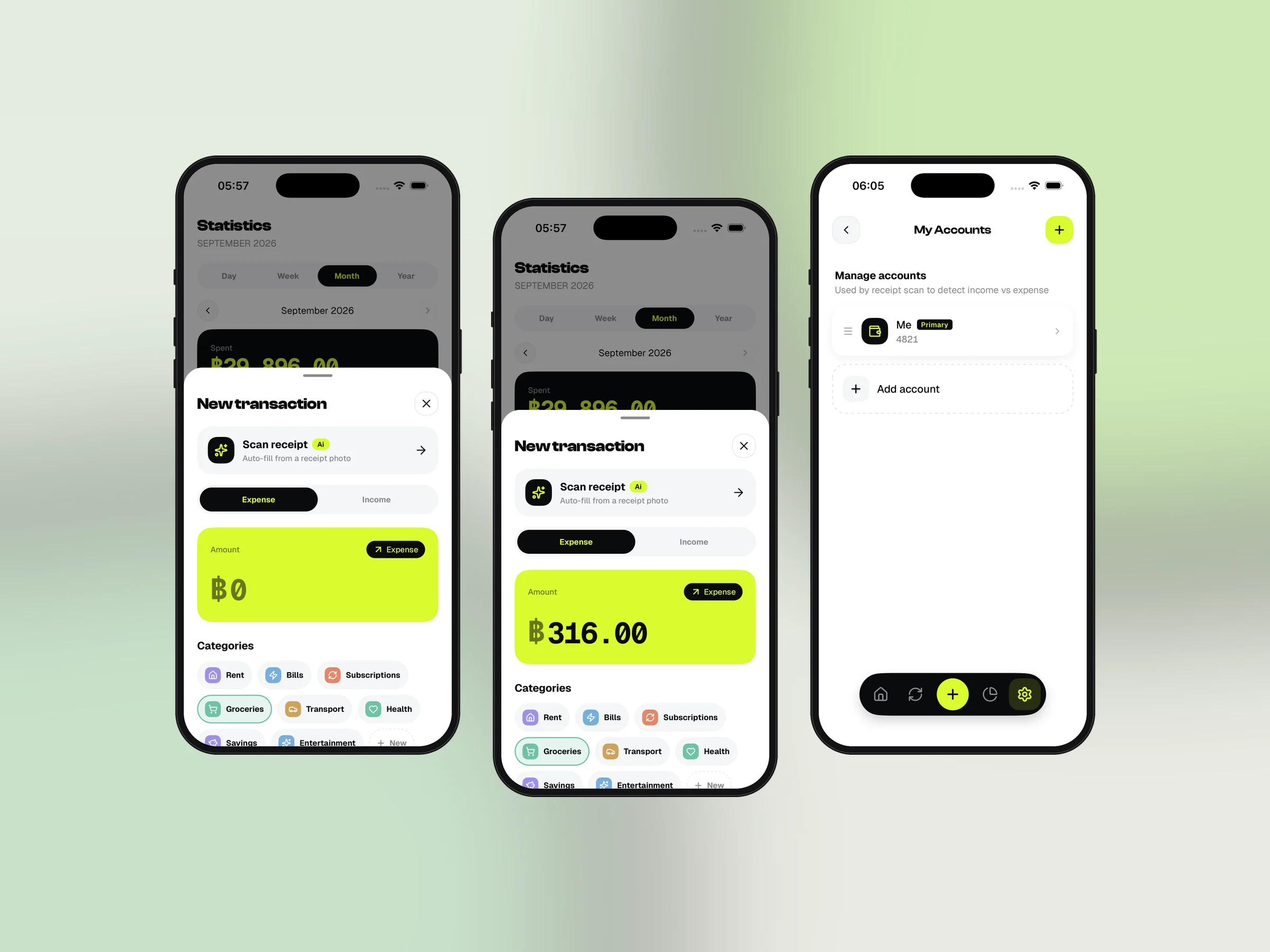
Home opens on the month: net, income and spend cards with a hide toggle, a by-category strip, recent activity and the add-on modules. The plus in the tab bar opens a bottom sheet that defaults to your usual category and currency, so most entries are amount, name, done.
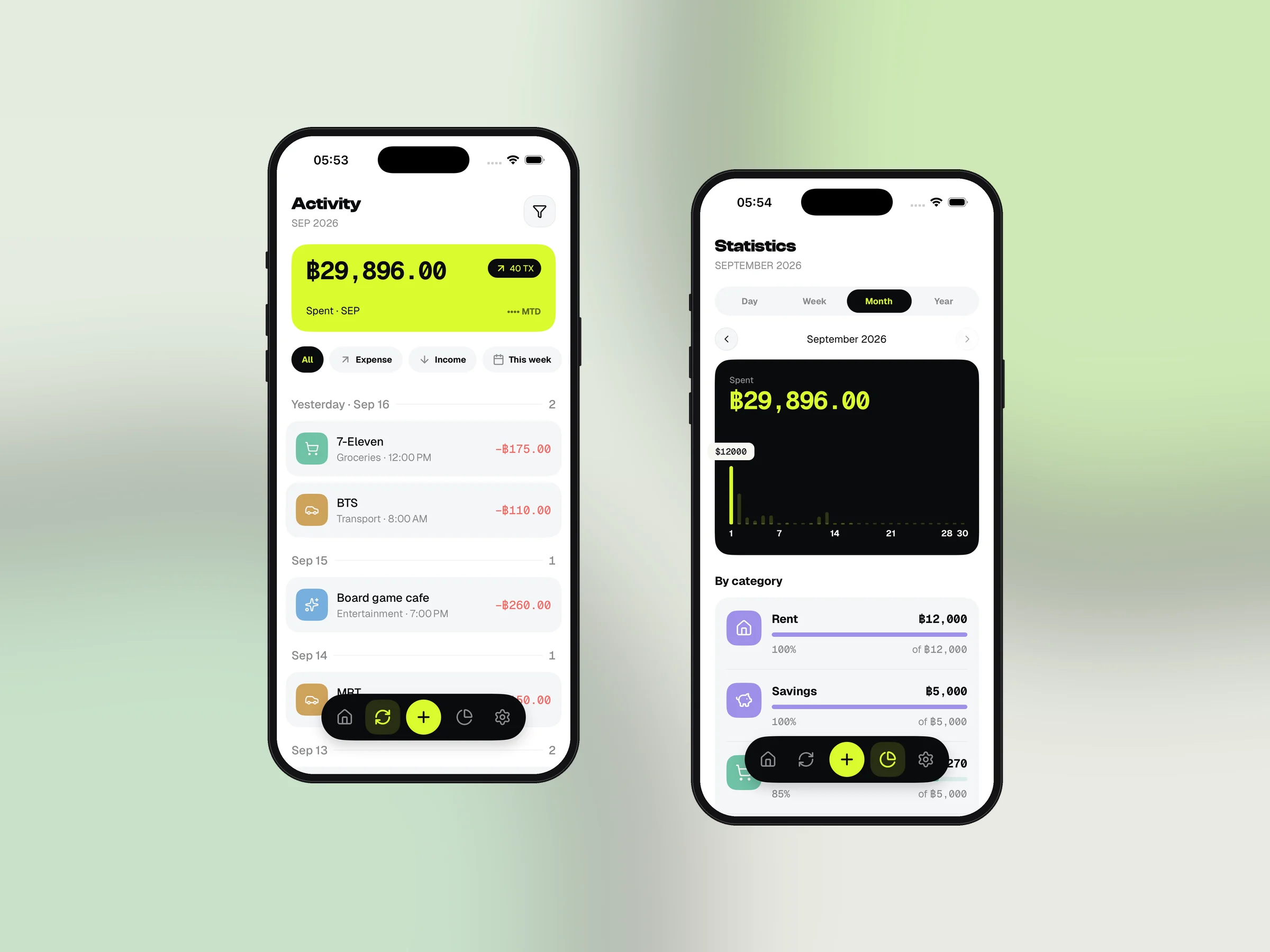
Activity groups transactions by day with filter chips and a custom range; swipe a row to edit or delete. Statistics switches day, week, month and year over a bar chart drawn with react-native-svg and a category breakdown.
Budgets, subscriptions and circles
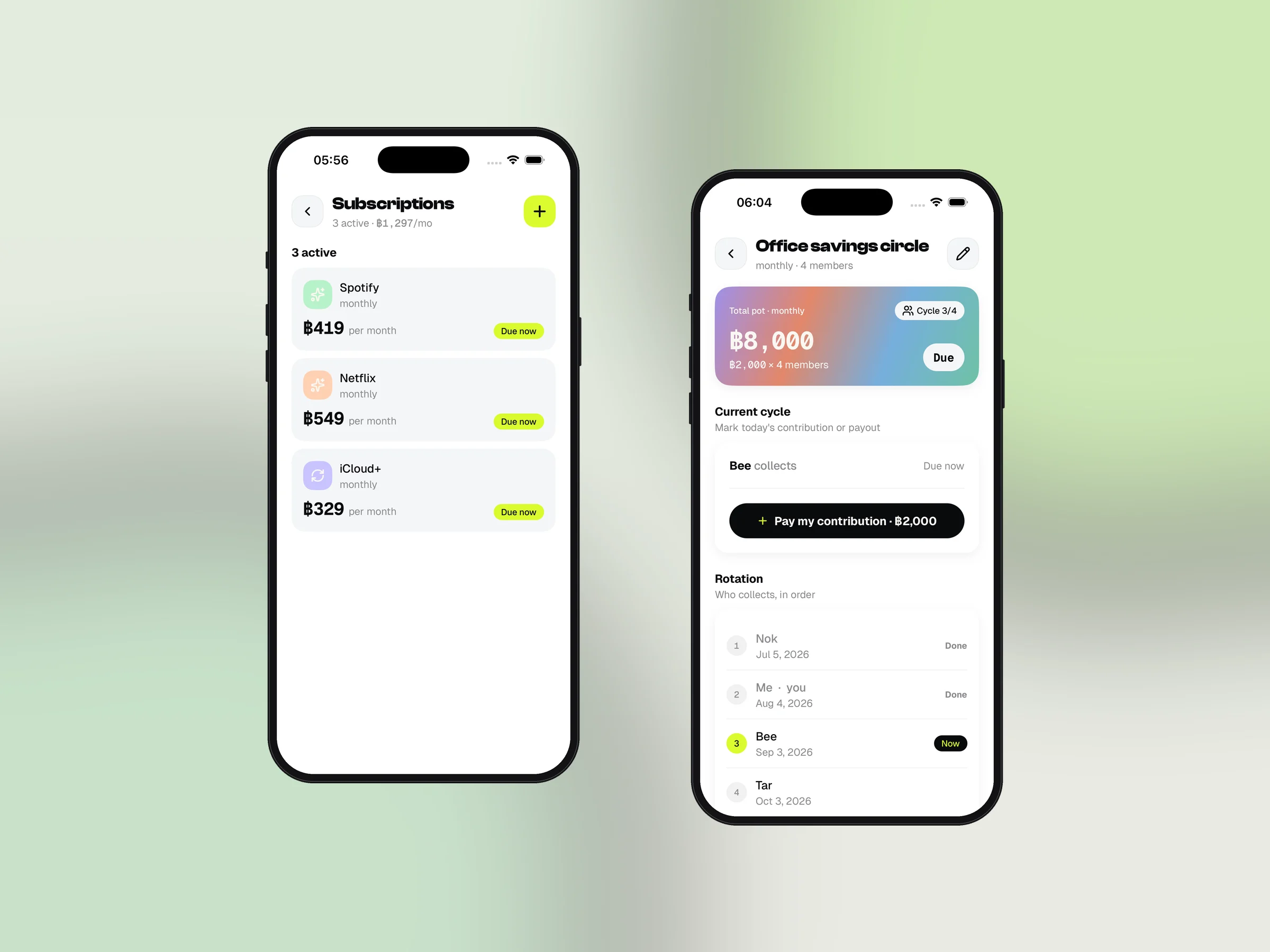
Budgets set a monthly cap per category with optional rollover, shown as animated bars against spend. Subscriptions track recurring charges with a due-date status and one-tap paid marking that writes the transaction for you. Savings circles model rotating savings groups - members, contribution, rotation and payouts - and post each contribution as a transaction so the ledger stays whole.
Receipts read on the device
Pick a banking-app screenshot from Photos and Lime reads it locally. A Swift module runs Vision's text recognition; the text goes through a three-tier parser - a template for the most common Thai bank first, then a label-driven regex that handles English and Thai receipts from several banks and wallets, then, on iOS 26 devices with Apple Intelligence, a Foundation Models call that returns a typed receipt draft.
The draft is classified as income or expense by matching sender and receiver against your saved accounts, with honorifics and masked account tails normalised; the first scan asks which side is you and saves that account. A category is guessed from the payee. Nothing leaves the phone and there is no key to configure.
Built to be trusted
Every store is a persisted zustand slice with versioned migrations, so updates never lose data. Export writes CSV or JSON through the share sheet; import validates the file and rolls back on failure. The parsers, stores and helpers carry 280-plus Jest tests, including anonymised OCR fixtures for each supported receipt format.