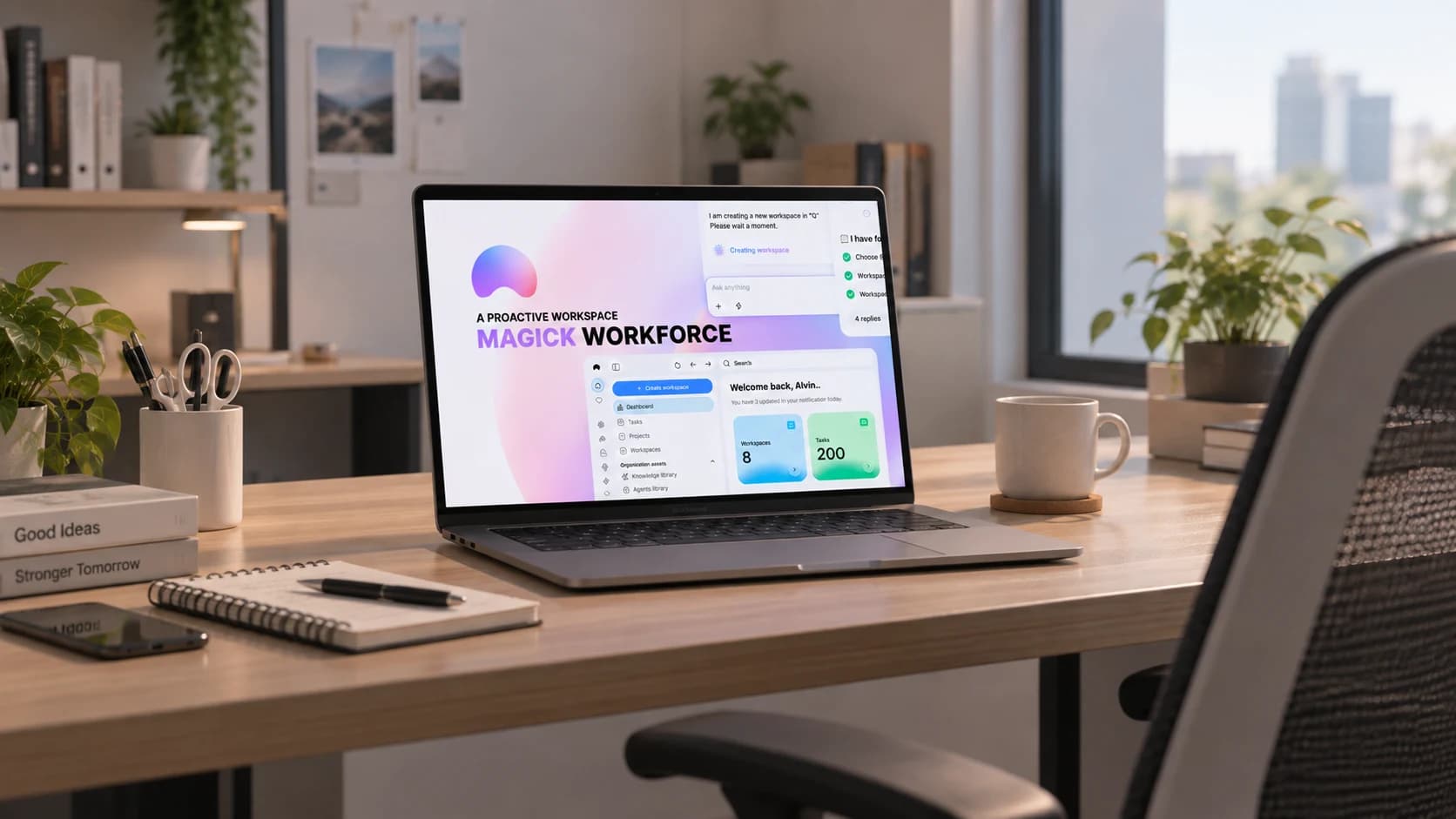
Magick Workforce
An AI-driven workspace where teams plan, meet and act with an agent in the loop - from daily briefings to in-meeting advice.
- Role
- Lead Frontend Engineer
- Year
- 2024
- Stack
- React 19
- TypeScript
- TanStack Router
- Tailwind CSS
- shadcn/ui
- style-dictionary
- LangGraph
- What I did
- Workspace shell and multi-tenant navigation
- AI team chat with tool-call rendering
- Meeting summaries: summary, transcript and goals views
- Video meeting UI with in-meeting agent advice
- Knowledge library and daily briefing modules
- Design-token system: style-dictionary to CSS variables to shadcn components
- Worked with the AI team on how LangGraph agent responses and tool calls surface in the interface
Overview
Magick Workforce is an AI-driven ERP for small teams: workspaces hold a team's knowledge, tasks and meetings, and an assistant sits inside every screen - briefing you in the morning, taking notes in a call, and turning a chat message into an action.
Instead of a chatbot bolted on the side, the agents work inside the product: a team chat where tool calls show up as readable cards, meetings that end with a summary, transcript and goals, and a knowledge library the assistant can cite. The screens below are recreated with sample data; names and content are fictional.
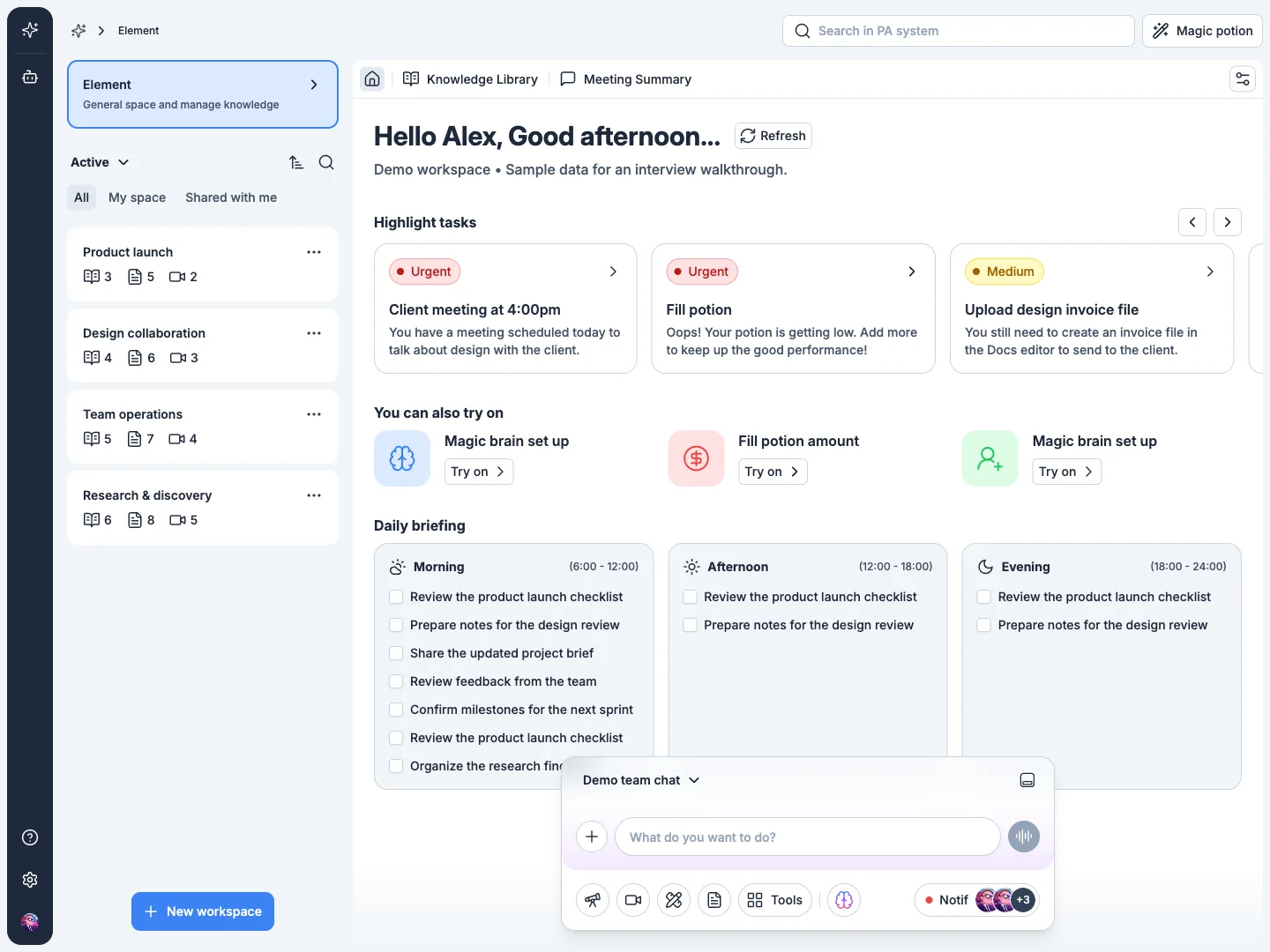
A workspace that briefs you
Each workspace opens on what the day needs: highlight tasks ranked by urgency, suggested actions the assistant can run, and a morning / afternoon / evening briefing. A team chat dock stays pinned at the bottom with tools, notifications and the agent one tap away.
Workspaces are tenant-scoped - a person can belong to several, switch between them, and see only what is shared with them.
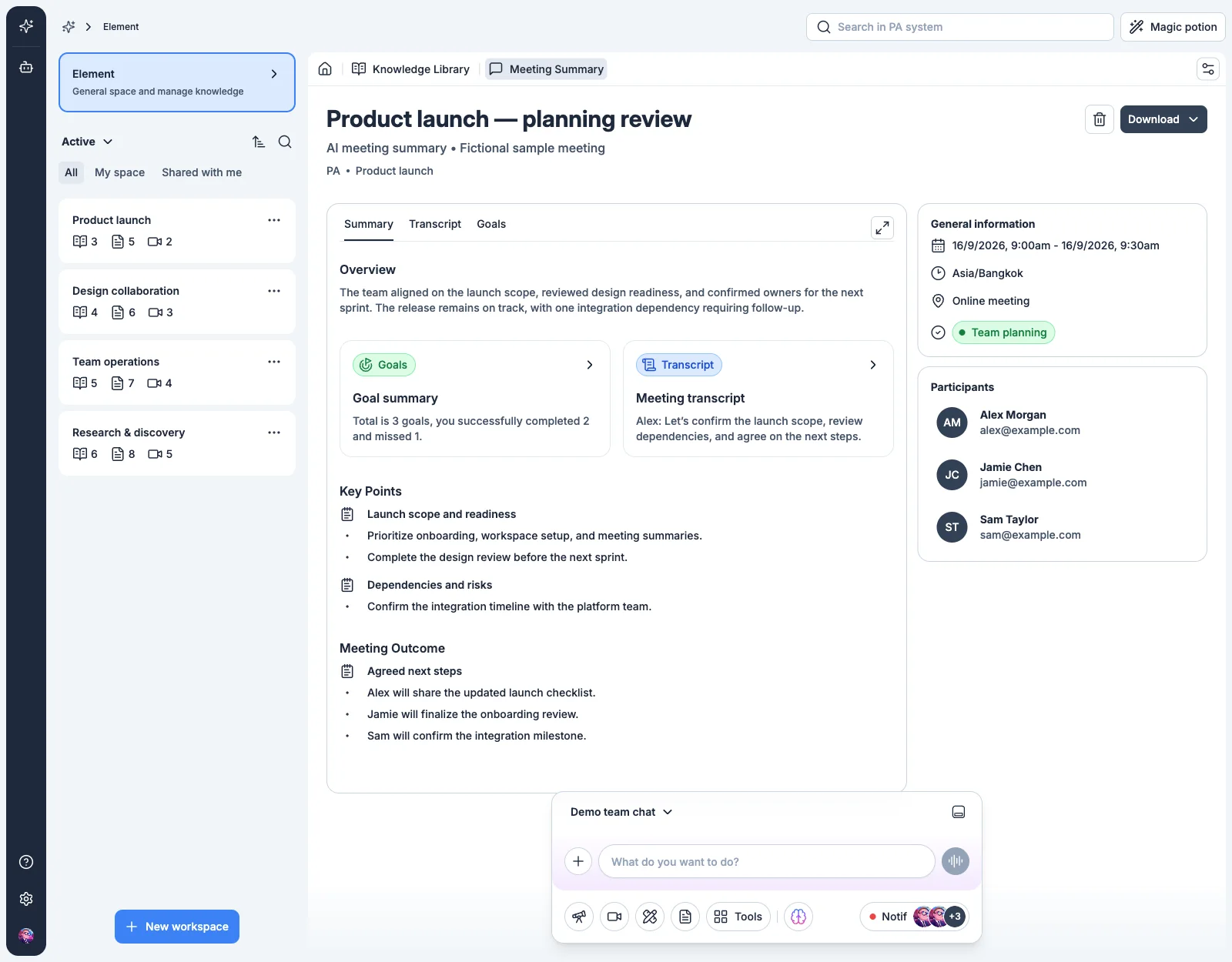
Meetings that write themselves up
After a call the assistant produces a structured record: an overview, key points grouped by topic, agreed next steps, and a goals scorecard, with the full transcript one tab away. Participants, time zone and meeting type sit alongside, and the summary exports with one click.
The same view doubles as the knowledge entry for the meeting, so decisions are searchable across the workspace later.
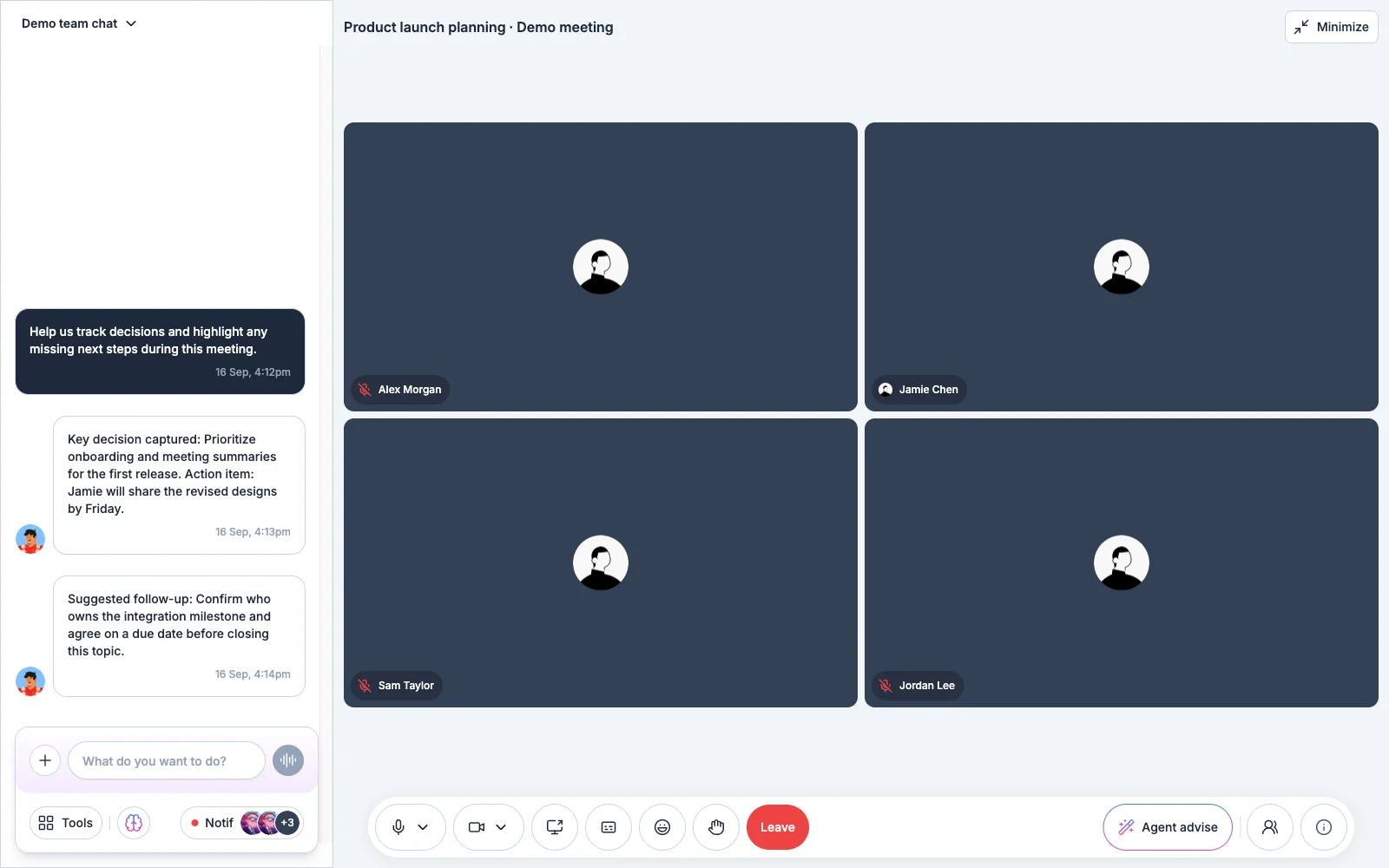
An agent in the room
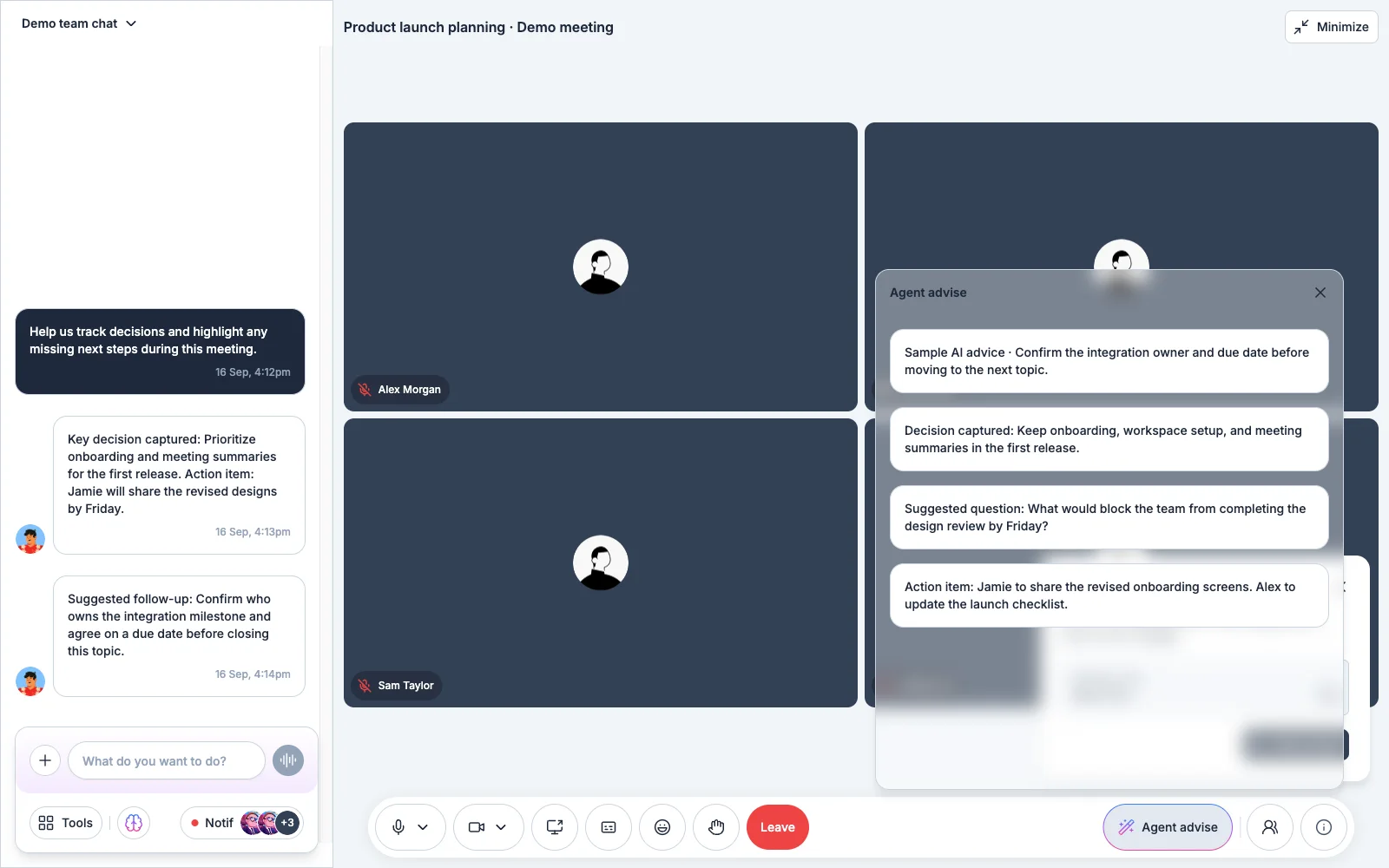
Video meetings run inside the workspace. While people talk, the agent captures decisions and action items into the team chat, and an Agent advise panel offers a suggested question or follow-up when the conversation stalls.
The chat renders each agent turn as a typed message - a decision, an action item, a suggestion - rather than free text, so the team can act on it directly.
Design tokens as the source of truth
The UI is built on a three-layer token system - core ramps, semantic system tokens, and component tokens - compiled with style-dictionary into CSS variables. shadcn/ui components read those variables, so a colour or spacing change lands everywhere without touching component code.