Mallows' Club
Turning an event photobooth into an AI portrait studio - kiosk, printer and admin, end to end.
- Role
- Lead full-stack engineer
- Year
- 2026
- Stack
- Expo / React Native
- TypeScript
- FastAPI
- Python
- Laravel
- Filament
- Gemini
- OpenAI
- Kotlin
- AWS
- What I did
- Kiosk app: camera capture, generation flow, QR download, printing
- Generation API with multi-model fallback and per-model cost tracking
- Admin CMS: events, flows, themes, usage analytics
- Native Android module for the DNP DS-RX1 photo printer
- CI/CD: GitHub Actions to container registry to Coolify
Overview
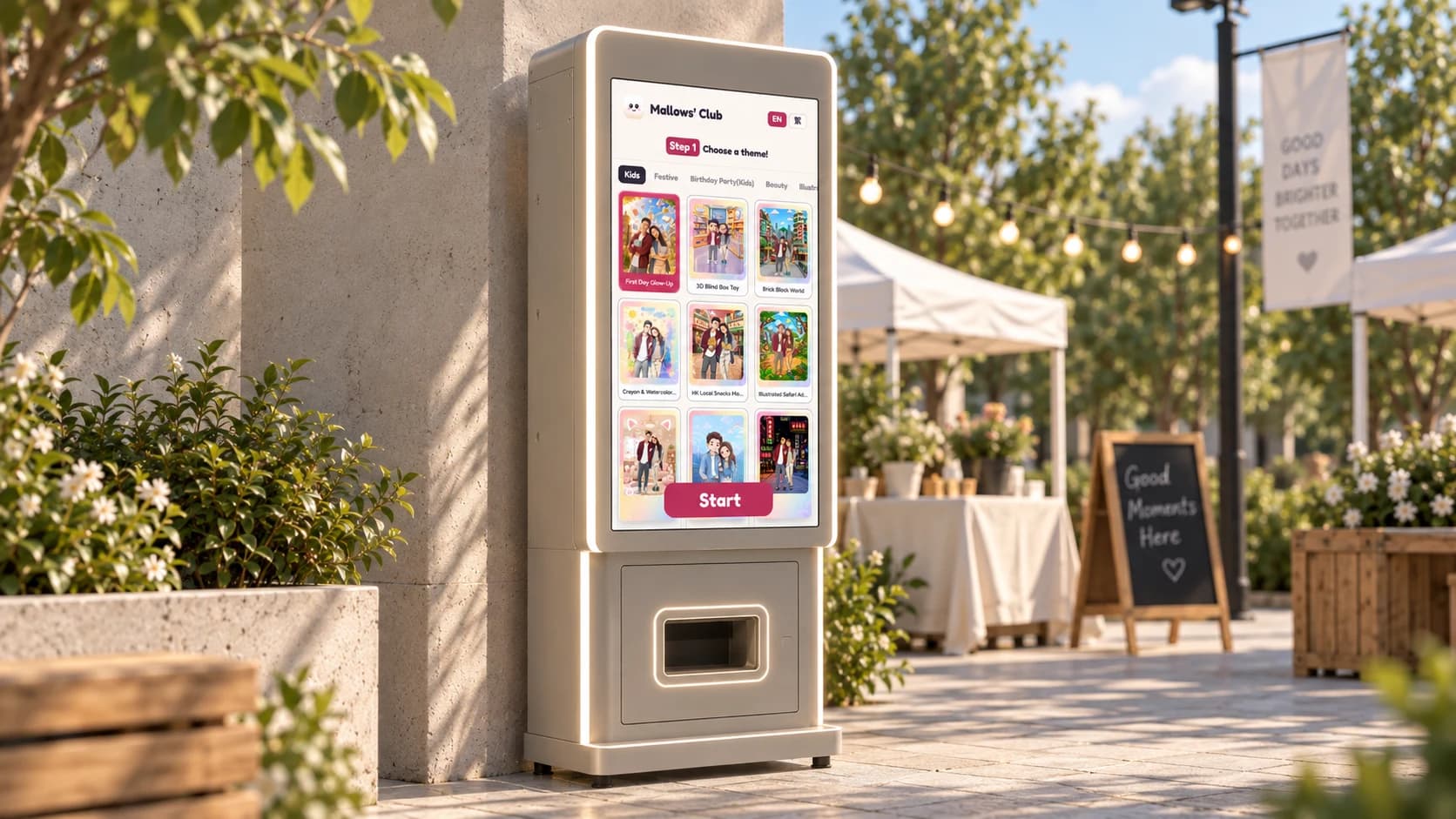
Mallows' Club runs pop-up events in Hong Kong and wanted a photobooth that does more than snap a picture: a guest steps up, picks a theme, and walks away with an AI-generated portrait printed on 4x6 paper plus a QR code to download it.
The system has three parts: an Android kiosk that drives the camera and printer, a generation service that talks to several image models, and an admin panel where the events team sets up each event - themes, flows, languages - without touching code. It has run live in English and Traditional Chinese, with every generation, print and QR scan tracked per event so the team can see cost and engagement the same day.
The guest flow
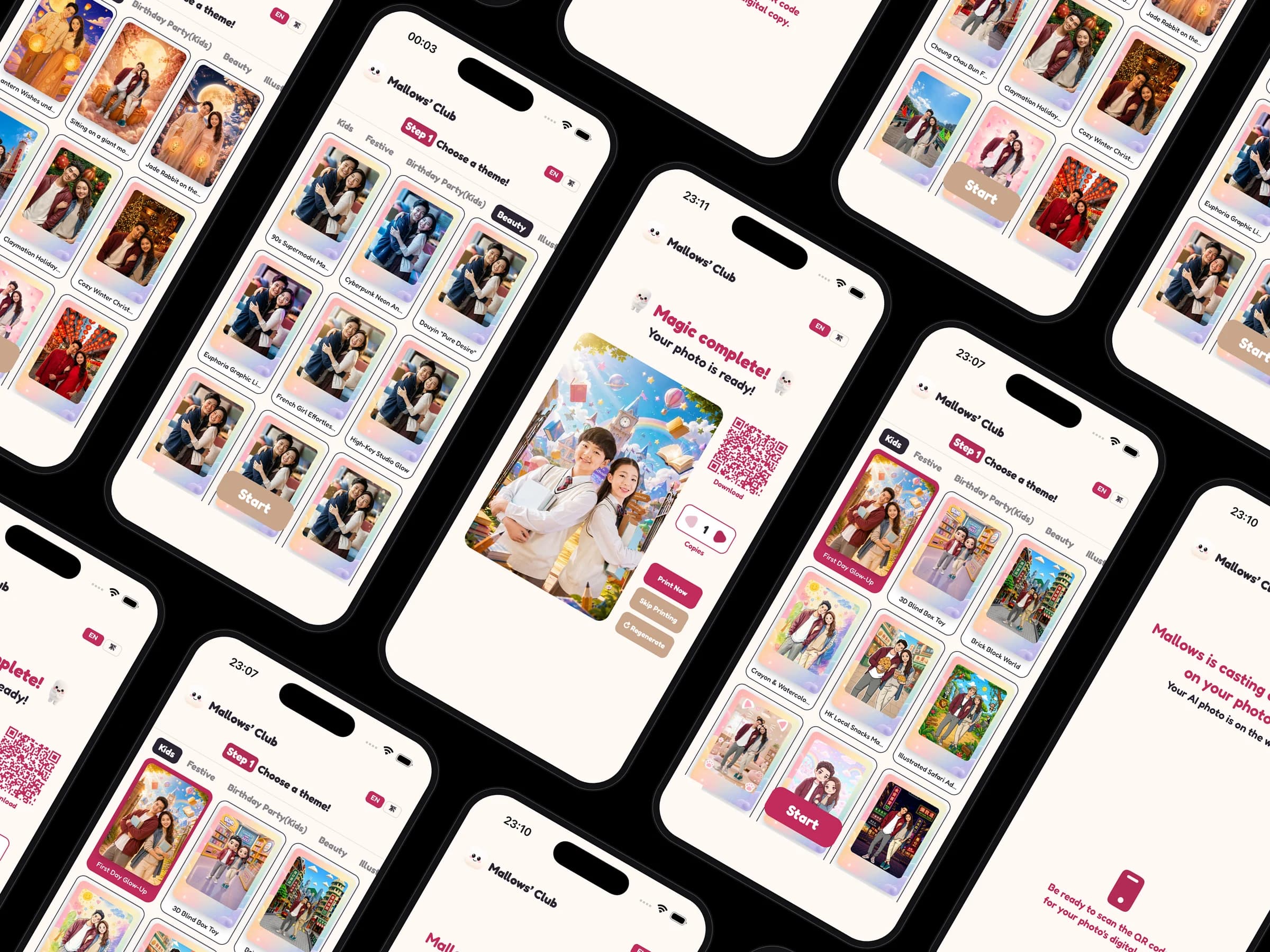
The kiosk runs a 1080x1920 portrait stage on an RK3588 Android box with a USB webcam and a DNP photo printer. A guest picks a theme and style, gets a 3-2-1 countdown with a flash reveal, and then waits on a loading screen.
Generation takes a while, so the wait screen matters. The service writes twelve short, personalised messages from a quick vision pass on the photo, and a progress bar that slows as it climbs so it never lies about being done. The result screen shows the framed portrait, a QR code to the download page, a copies stepper, and print, regenerate and skip actions.
One API, several image models
The generation service is a FastAPI app with a model registry: Gemini image models by default, with OpenAI, MiniMax and Qwen behind the same interface. If a provider fails, gets rate-limited or blocks the image for safety, the request falls through a fallback chain and records every attempt.
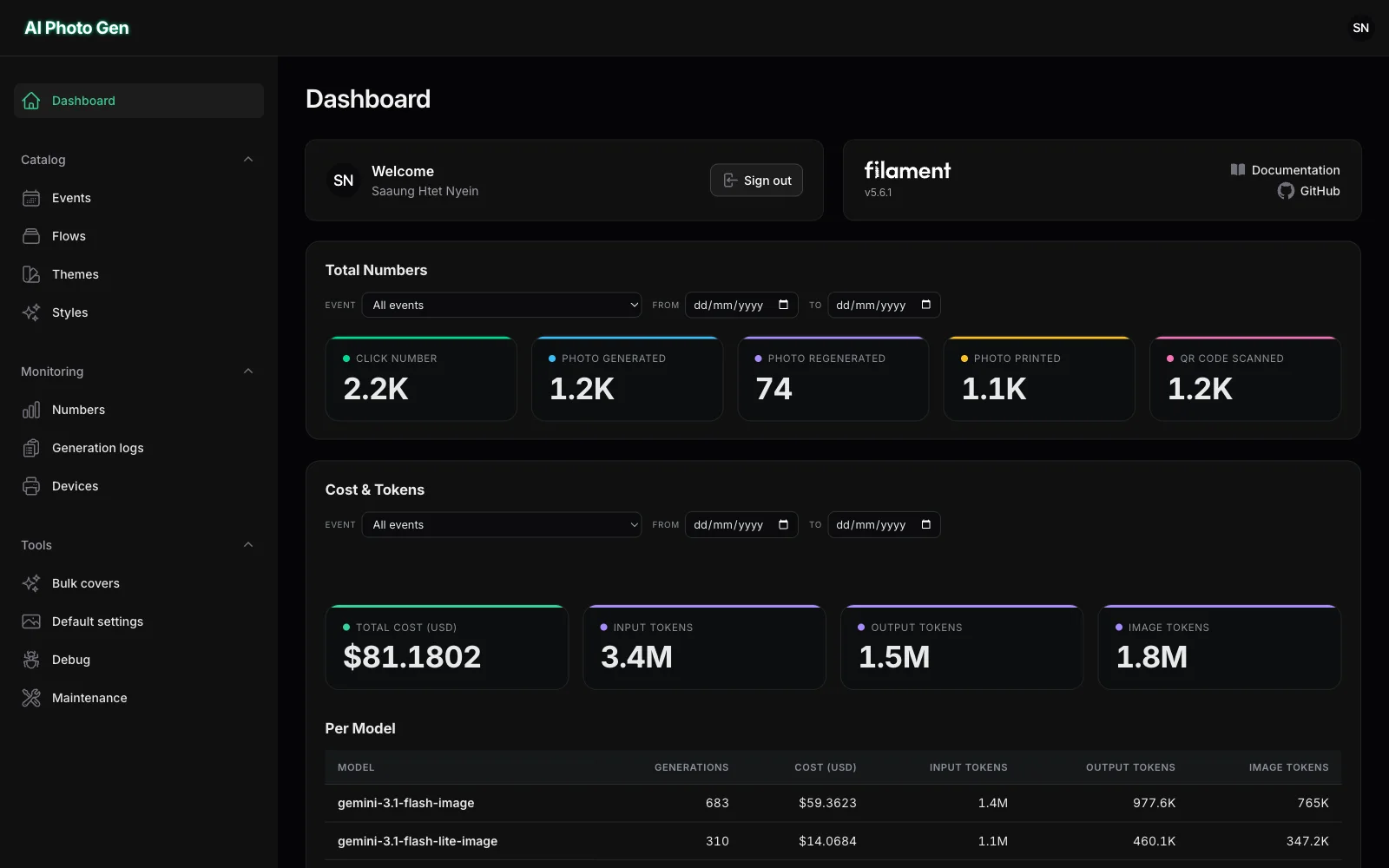
Each response carries token usage and a USD cost computed per model, so the CMS can show what an event actually cost. The service also composites the framed and unframed prints, stamps a date, and serves the files to the QR download page.
Running events from the admin
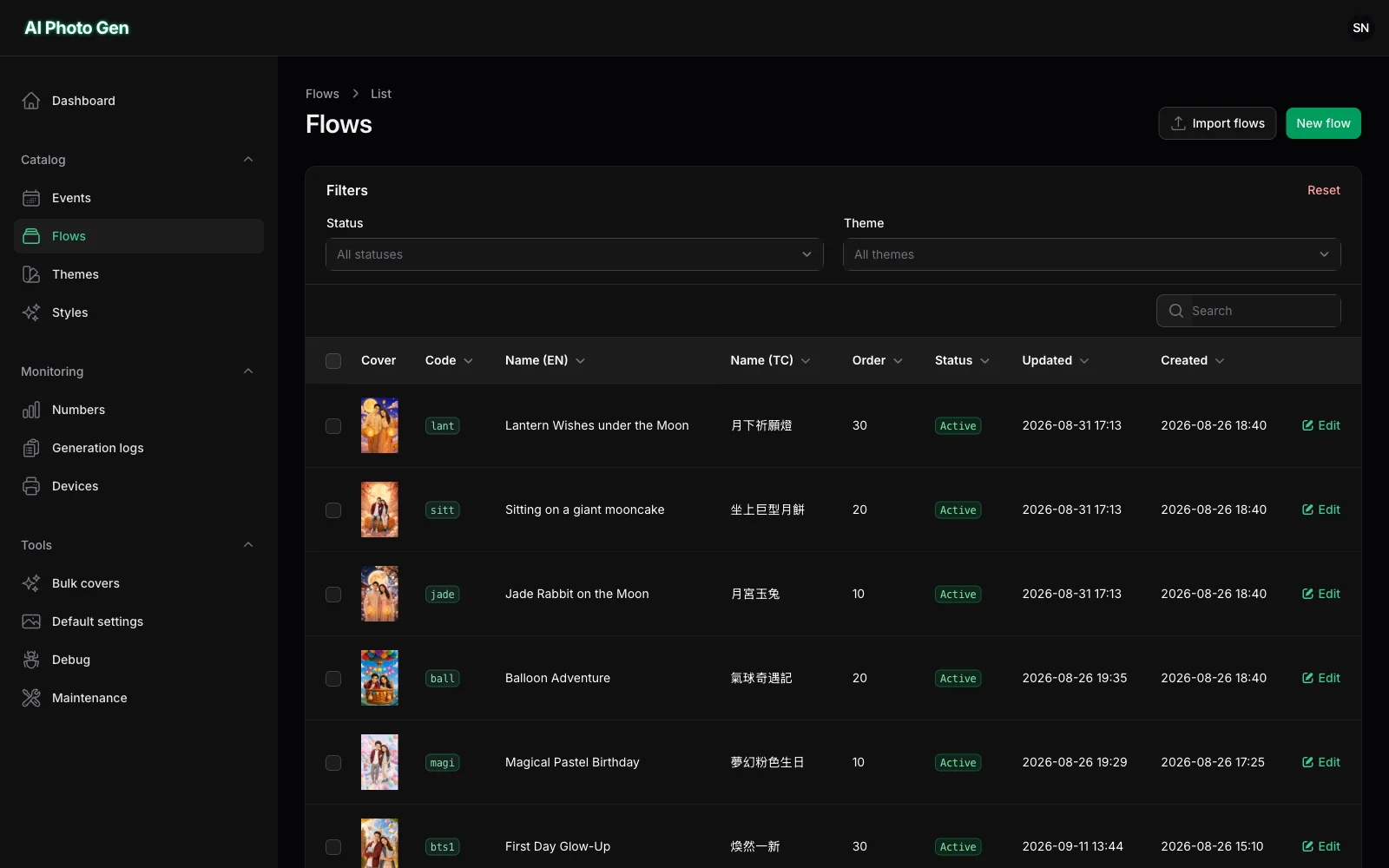
The Laravel and Filament admin models an event as a set of flows: each flow has a prompt, frames, backgrounds, an aspect ratio and screen chrome. The booth joins an event with a four-character code and pulls its catalogue from the API.
A Numbers page shows clicks, generations, regenerations, prints and QR scans, with cost and tokens broken down by model, theme and flow. A bulk cover generator runs every active flow once so the team can pick real cover images before the doors open. Devices register themselves by printer serial, mirror the paper counter, and flag low paper on the dashboard.
Printing and hardware
Printing goes through a small Kotlin Expo module that wraps the DNP printer SDK over USB: it rotates and centre-crops the image to the media, handles copies and matte finish, and reads the media counter back so the admin knows when to refill. The same module gives the app a hard kiosk exit for staff.
A hidden staff menu behind a PIN shows network, camera, printer and daily-print status, changes the event code, toggles camera mirroring and screen brightness, and opens a reprint gallery of every photo from the event.
Results
- 1.2K
- AI portraits generated
- 1.1K
- Photos printed on-site
- 1.2K
- QR downloads scanned